
When a page takes too long to show anything, or freezes when someone tries to scroll or tap, many visitors simply leave. Speed also matters for search: Google uses real-world loading and responsiveness measures, the Core Web Vitals, as part of how it evaluates pages.
The good news is that slow websites usually suffer from the same handful of problems. This guide explains how to measure speed, what typically causes slowness, and the order in which to fix it, with real before-and-after numbers from our own website.
Speed is not a technical detail. It is the first impression your website makes.
First, measure it properly
Guessing wastes time. Measure first, on the pages that matter most: your homepage, your main service pages and your best-performing content.
- Test on mobile: most visitors browse on phones, and mobile tests are stricter.
- Use Lighthouse or PageSpeed Insights: both report a performance score and the Core Web Vitals.
- Look beyond the score: the diagnostics show which files and scripts are causing the delay.
- Test more than once: lab results vary between runs, so look for consistent patterns.
Google's “good” thresholds for Core Web Vitals are a Largest Contentful Paint of 2.5 seconds or less, Interaction to Next Paint of 200 milliseconds or less, and Cumulative Layout Shift of 0.1 or less, measured at the 75th percentile of real page loads.
The usual causes of a slow website
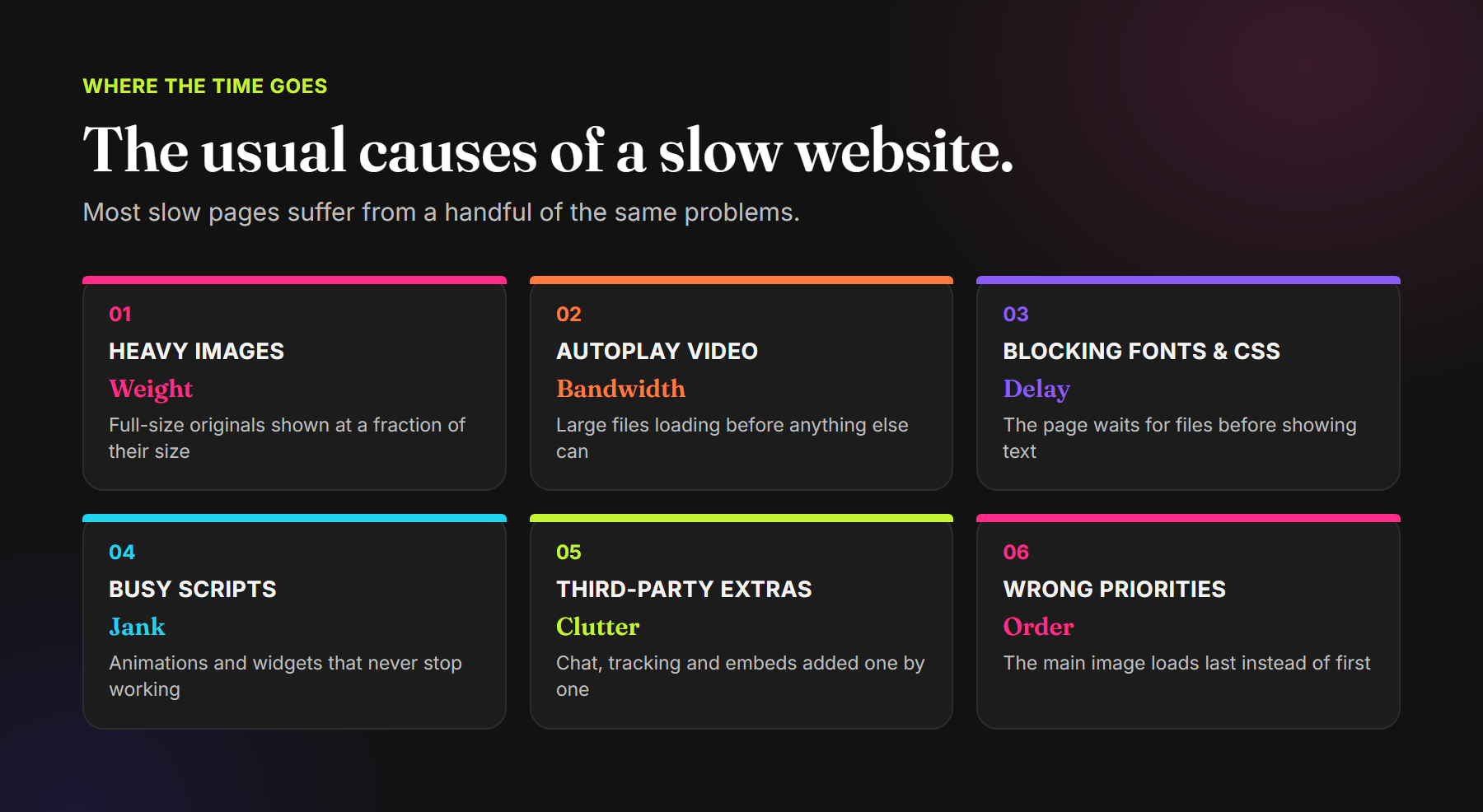
Heavy images
Photos uploaded at full camera or export size, then displayed in a small card, are the most common cause. The browser downloads every pixel, whether it is shown or not.
Autoplay video
Background videos look great, but a large file competes for bandwidth with everything else on the page, especially on mobile connections.
Fonts and CSS that block the first render
If the page must fetch a stylesheet, which then fetches a font stylesheet, which then fetches the font, text appears late. Chains like this are easy to create and easy to fix.
Scripts that never stop working
Animations, sliders and interactive elements that keep running when nobody is looking at them keep the browser busy, which makes the page feel frozen when someone tries to scroll or tap.
Third-party extras
Chat widgets, tracking tags, comment systems and embeds are each small, but they add up, and you do not control how heavy they are.
Wrong priorities
Sometimes the most important image is marked to load last. When the browser delays the main visual, the page looks unfinished for longer.
Fix it in the right order
Start with the changes that remove the most work, then measure again.
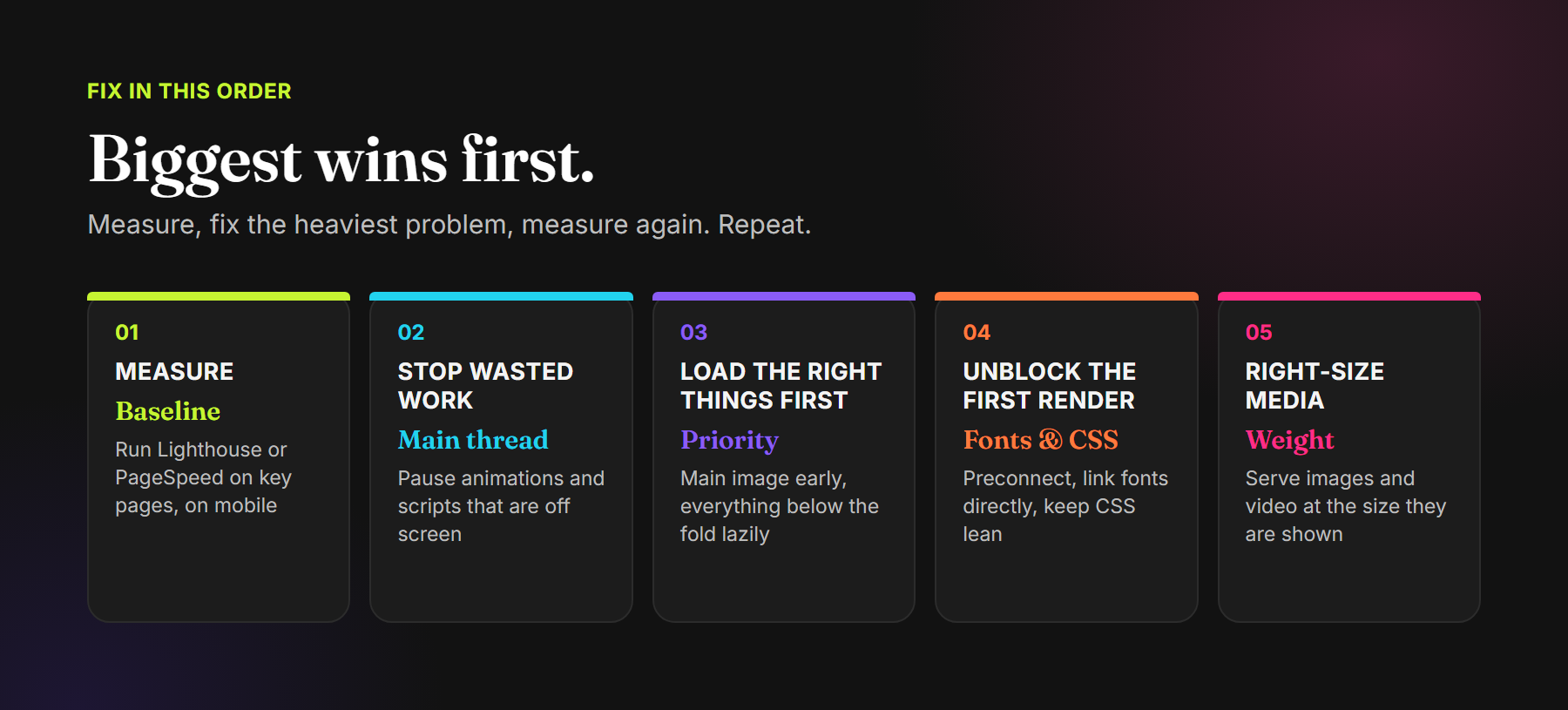
- Stop wasted work: pause animations and interactive elements when they are off screen or the tab is hidden, and remove scripts you no longer need.
- Load the right things first: let the main image load immediately with high priority, and lazy-load everything below the fold.
- Unblock the first render: connect early to font servers, load fonts directly rather than through chains, and keep CSS lean.
- Right-size media: serve images at the size they are displayed, give video a poster frame, and consider lighter formats.
- Question every extra: keep only the third-party tools that earn their place.
A real example: our own homepage
Our homepage has a showreel video and an interactive 3D globe showing the markets we work in. An audit showed the globe kept animating even when it was far off screen, which kept the browser busy almost constantly on mobile. The main images on some pages were also set to load last, and our font loaded through a chain of files.
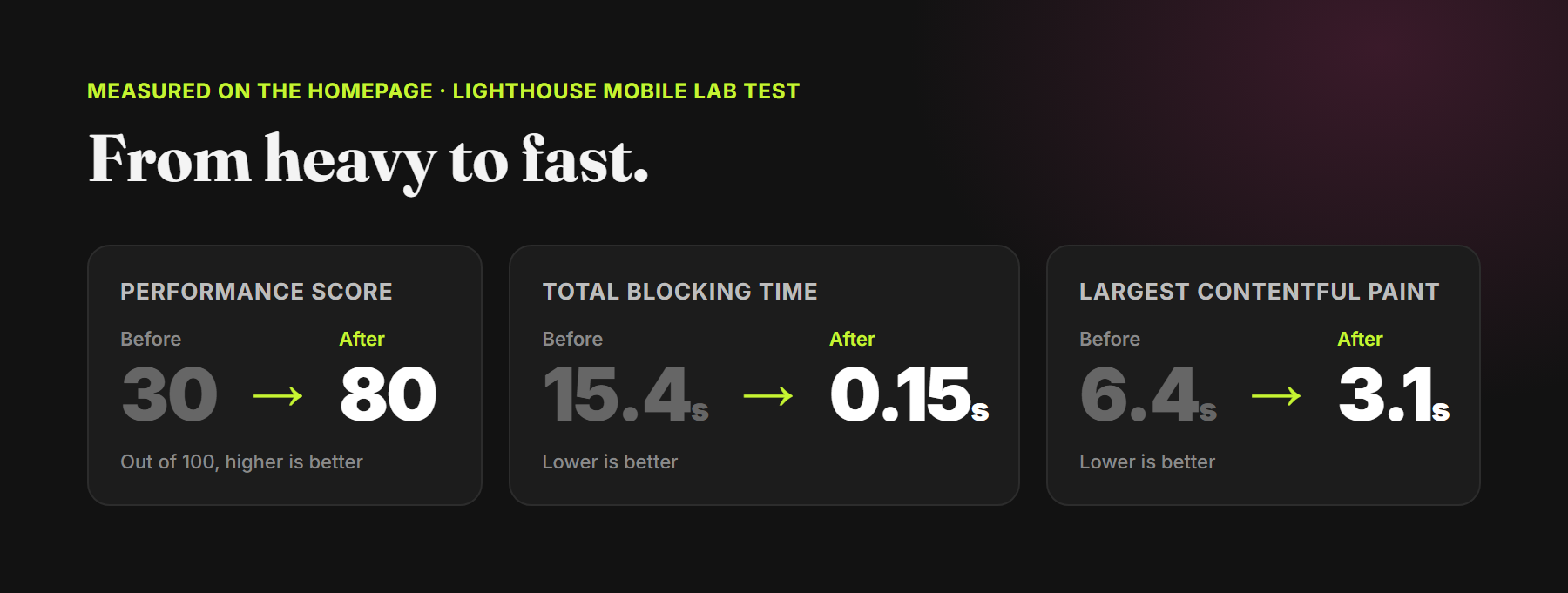
We made three changes: the globe now pauses completely when it is off screen or the tab is hidden, fonts load directly with early connections, and main images load first with high priority. In Lighthouse mobile lab tests on the homepage, the performance score rose from 30 to 80, total blocking time fell from 15.4 seconds to 0.15 seconds, and the largest contentful paint improved from 6.4 to 3.1 seconds.
None of these changes altered how the site looks. They changed when and how the browser does its work.
Common speed mistakes
- Testing only on a fast office connection: the site feels fine to you and slow to everyone else.
- Chasing a perfect score: focus on what visitors feel, not on the last few points.
- Adding plugins to fix speed: more code rarely makes a page lighter.
- Fixing once and forgetting: every new image, video and widget can undo the work.
Frequently asked questions
How do I check my website speed?
Run Lighthouse in Chrome's developer tools, or Google's PageSpeed Insights, on your key pages with mobile settings. Both report a performance score and Core Web Vitals.
What is a good website speed score?
Aim for Core Web Vitals in Google's “good” range: LCP of 2.5 seconds or less, INP of 200 milliseconds or less and CLS of 0.1 or less. The overall score is a useful guide, but real-world vitals matter more.
Do images slow down a website?
Often, yes. Images shown much smaller than their actual size, and large images that load before they are needed, are among the most common causes of slow pages.
Does website speed affect SEO?
Core Web Vitals are part of how Google evaluates page experience. Speed also affects whether visitors stay, which matters just as much.
A website that is fast because it is built with care.
Website Strategy · UI Design · Responsive Development · Performance Optimisation
Read our checklist for website design that converts, or explore our Digital Experiences services.
Comments